Talk about open source! As if the Internet wasn’t the most powerful marketing tool already, this past year the professional networking site LinkedIn.com threw wide their publishing doors.
Once upon a time, LinkedIn was a glorified resume site. You laundry-listed your past few jobs, summarized the wonderfulness-of-you in a paragraph or two, slapped up what you hoped was a professional looking headshot and called it a day.
But now, not only can you post a profile detailing your professional experience on LinkedIn, you can now use it as your own personal publishing platform!
Why? Who cares?
Well, it’s a chance for you to get your thoughts and content out there. I mean really out there.
Wait, you say. What about your blog, you say? Haven’t I been stridently insisting for awhile now how important blogging is to building your business?
Yes, you could and should be publishing content on your own blog as well. But if you really want your content to give you some Google love and connect with potential customers, publishing elsewhere makes sense.
Because realistically, how many readers do you have? How many of them are movers and shakers in your industry? Not enough, I’d wager.
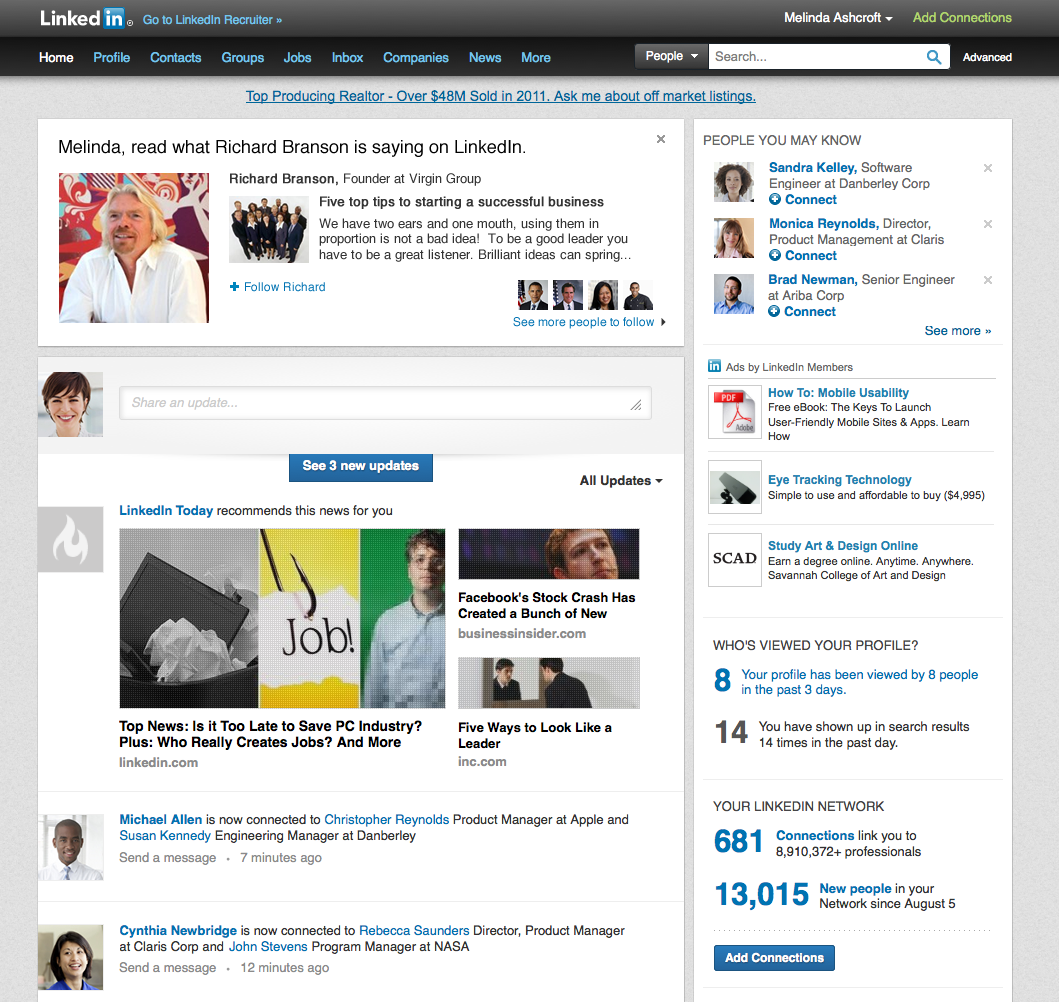
Publishing long form posts on LinkedIn is a great way to show off your expertise and establish yourself as an expert in your field.
First step, publish. Second step, share with your followers. Third step, try to get enough views to get the attention of LinkedIn Pulse, the LinkedIn official newsreader. More on why that’s a big deal later.
How To Publish Posts:
When LinkedIn first allowed the publishing of long form blog posts, one initially had to apply for early access. That’s no longer the case, and from what I can see, most of us can publish now. It’s as easy as finding and clicking the “Publish a post” button on your LinkedIn profile. It looks like this:
Click that orange button and you’re off to the races. A wonderfully simple WYSIWYG editor comes up and you simply input your content. You can even add images.

How to Publish Great Posts:
You can’t be willy-nilly about posting to LinkedIn. You have to be as buttoned up and thoughtful about your LinkedIn publishing strategies as you do on your own blog…even more so! You’re “out in public” now! Every post should include the following:
- Make sure you take the time to add a real attention-grabbing headline. You can get cute here and really pique some curiosity. One of the more famous LinkedIn publishing success stories was an article titled “Why I Say NO to Coffee Meetings.” Keep it intriguing, fun, curiosity inducing.
- Add fun, engaging photos. Or better yet – add some video.
- Write a bit long but not too long. Experts say the Linked In post sweet spot is around 400-500 words.
- Finally, make sure you throw in a few keywords in there. Remember, the name of the game is views (more on why later.) And in order to get views, you need to get found in the first place.
So think hard about what the reader of your post would type in the LinkedIn search box. You may call it “information architecture” but your reader might more likely type in “web design best practices.”
Make sure you sprinkle a few of these key phrases in there throughout your post. (But don’t overdo it. You want to appeal to human readers, not like you’re writing a SEO spammy Google spider-bait article.)
How to Get Views:
Now, once you publish…where does it appear? Lots of places! According to LinkedIn…
- Your original content becomes part of your professional profile. It is displayed on the Posts section of your LinkedIn profile.
- It’s shared with your connections and followers.
- Members not in your network can now follow you from your long-form post to receive updates when you publish next.
- Your long-form post is searchable both on and off of LinkedIn
Speaking of appearances off LinkedIn, when you publish, remember to share it everywhere. Post a link from your Facebook account, Instagram, anywhere you have a presence. Definitely tweet about it.
In fact, here’s a little known tip to try to get the attention the LinkedIn Pulse editors. When you tweet about your articles, include “Tip@LinkedInPulse” While this is by no means a guarantee you’ll be featured on Pulse, adding that @mention will help your tweet show up on the special Twitter feed setup exclusively for LinkedIn editors.
What’s So Great About Pulse?
Okay, so what’s this Pulse thing I keep talking about? It’s a curation of the best of LinkedIn published posts. When you get picked up on Pulse, you’re getting a mega-boost to your readership. Think of it as guest blogging on steroids.

If Pulse editors deem your post worthy of publishing, your potential exposure is to LinkedIn’s 332 million members. Not too shabby.
So keep in mind a few tips when when you are trying to attract editor’s attention. It’s very similar to appealing to editors of print publication. A little research can go a long way. For instance, picking a topic is the first way to cater your post to Pulse editor’s needs.
1. Tune Into The Channel
Before you even think about picking your topics, first study the “channels” listed on Pulse. These “channels” are comparable to the “sections” you find in traditional newspapers. Sports section, Features, Local, Entertainment, you get the idea.
The good – no, great – news is that Pulse has a lot of channels for you to write for. At last count, there were 25 channels of posts. They range from Professional Women to Green Business to Online Advertising to Editor’s Picks. Know which channel you are going to write to, for each post you publish.
2. Grow Your Followers
It’s worth your time to share your posts and try to get a large following. More followers means more article views, which means more potential exposure to Pulse editors.
3. Check Your Stats
It’s a tired marketing cliché but a true one. That which gets measured, gets improved. If you want to get better and more accomplished and more engaging on LinkedIn, you need to find out where you are now. It’s kind of like when you start a weight loss program. You need to “weigh” yourself first to see how much you progress.
There’s an easy way to check in on your metrics. Here’s an easy link to track your posts, followers and more. Watch these stats as you go…and grow!
Have you tried publishing on LinkedIn? If not, why not? If you’ve published before, have you had any luck getting a lot of views or followers? Share your own best tips and tricks in the comments below!
[hide_from accesslevel=‘free’]
Are You Ready To Start Doubling Your Business With Half The Effort?
If you have a business, whether it’s established or brand new, wouldn’t it be great to know how to use free and low priced modern marketing methods to boost the number of customers banging on your door and dramatically increase your profits? And with no technical degree, no sales staff and just a few minutes a day.
As a member of The Owners Club, you’ll get free access to the methods I used to bootstrap my company from zero to a million dollars in its first 12 months with no sales staff (it was actually $1,002,000). And the methods I’m using today to keep growing it beyond 97,000 customers with very little effort. Best of all, it’s absolutely free.
Go here to get started
[/hide_from]